
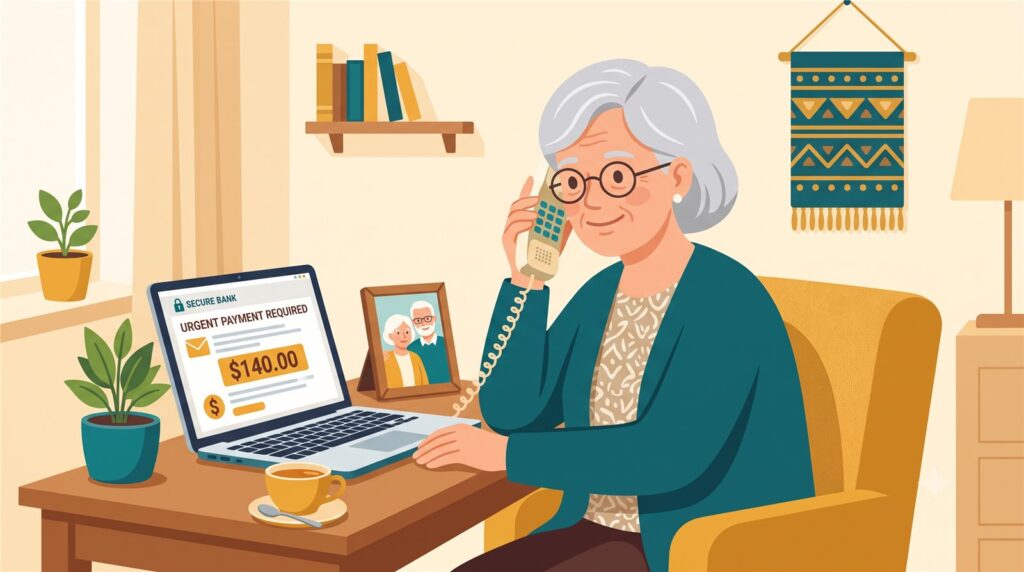
Mom called me on a Tuesday.
“Kim, I got an email from McAfee. It says my protection expired and they’re charging me $140 for the renewal. Do I need to pay it?”
Here’s what I told her: No, Mom. You don’t pay it. You don’t call the number on it, either. You just delete it.
My mom is 80. She lives on her own in Oklahoma, and since my dad passed last year, the computer questions come to me. I’ve spent 30 years working in computer security, and I’ll tell you the same thing I tell her: this email is one of the most common tricks in America right now, and once you’ve seen the pattern, you’ll spot it in five seconds.
The email looks official. A logo, an invoice number, an amount — usually somewhere between $99 and $499 — and a message that you’ve been charged, or you’re about to be.
Here’s the tell: the email wants you to do something quickly. Pay now, or “call this number to cancel the charge.” That phone number is the whole scam. The person who answers is friendly and helpful, and they will either take your card number to “process the refund,” or ask to connect to your computer to “remove the software.” Never let anyone you don’t know connect to your computer — that’s the digital version of handing a stranger your house keys.
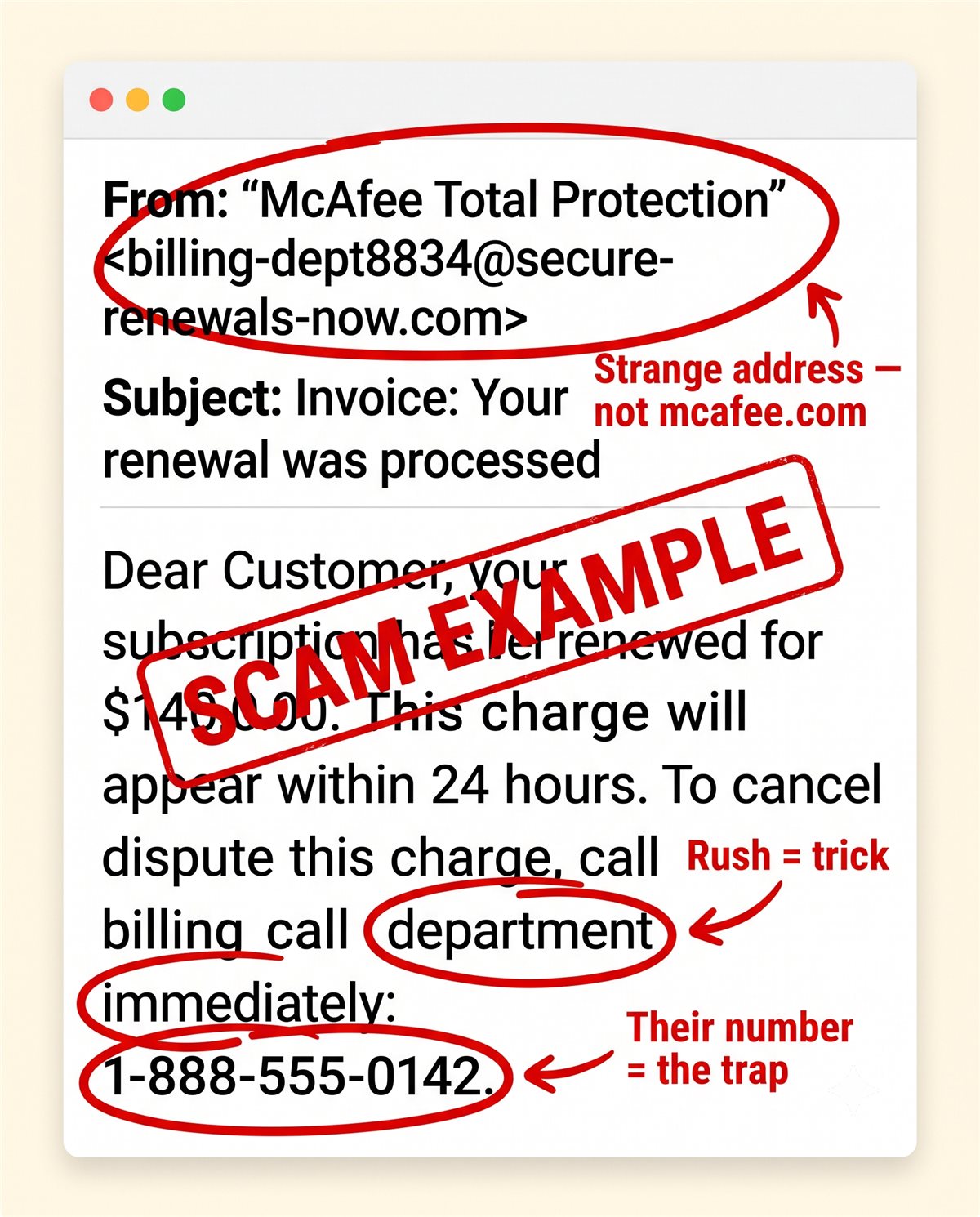
And here’s the simple truth underneath it all: if you never bought McAfee, there is nothing to renew. A real company can only charge a card you actually gave them. An email can’t take money out of your account by itself — it needs you to call, click, or pay. If you do nothing, it can do nothing.
If you’re not sure whether you really do have a subscription, don’t use anything in the email. Check your actual credit card or bank statement — the real one. If there’s no charge on it, there’s no charge. That’s the front door, and the front door never lies.
Kim’s 3 Rules
1. A surprise invoice is a question, not a bill. Real charges show up on your card statement — check there, never through the email.
2. Never call the phone number inside a suspicious email. If you must check, find the company’s number yourself.
3. Never let anyone you don’t know connect to your computer. No real company asks for that to give you a refund.
If you already called or paid
It happens — these people are professionals, and being fooled by a professional is not foolishness. Do these today, and don’t be embarrassed to ask for help with them: call the phone number on the back of your card and tell them it was a scam charge (they handle this every day); if anyone connected to your computer, turn it off and have someone you trust look at it before you use it for banking; and report the scam at ReportFraud.ftc.gov — it takes five minutes and helps protect the next person’s mom.
Mom didn’t pay the $140. Two days later she got the same email “from Norton.” She deleted it herself and called just to brag. That’s the goal.
Kim spent 30 years in computer security and now helps her 80-year-old mom — and you — stay safe online. Got a strange email, text, or call? Ask Kim first.

💡 Have a question for Kim? Use “Questions from readers” just above — Kim answers within the hour. Comments here are for sharing with other members (but Kim reads them too).
Loading comments…