
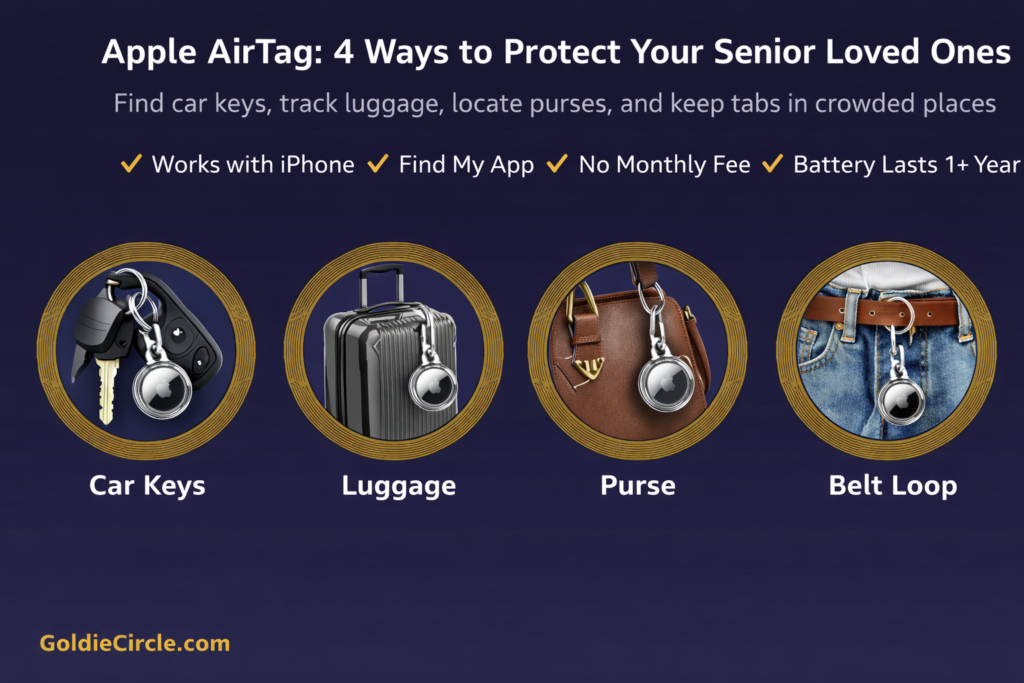
REAL-WORLD WAKE-UP CALL: You’re traveling overseas with your elderly parent. The airport is packed, thousands of people rushing in every direction. Your mom steps away to use the restroom — and suddenly, you can’t find her. Your checked luggage is spinning on the wrong baggage belt. Back at the hotel, your dad can’t locate his car keys. One $29 device — already in millions of family bags — is designed to help prevent all of it.
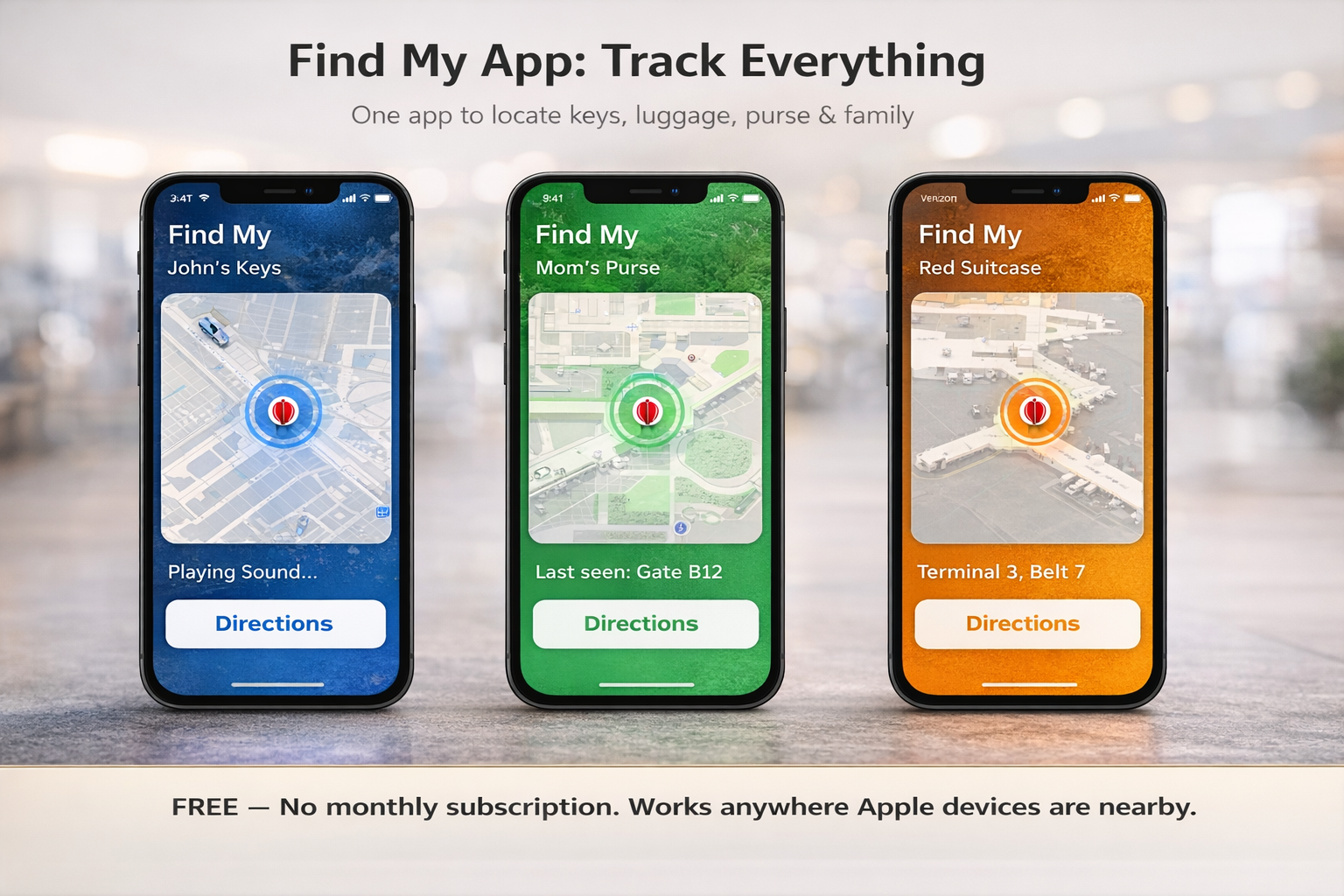
The Apple AirTag (2nd Generation) is a coin-sized tracker that works with the Find My app on your iPhone to help you locate keys, luggage, purses — and stay connected to aging parents in crowds. It has no monthly fee, the battery is designed to last over a year, and the 2nd generation model is reported to be 50% louder and tracks from 1.5x farther away than the first generation. Pair it with a Tech21 EvoClear Carabiner Case and you can clip it to belt loops, purse straps, luggage handles, and key rings in seconds. Always verify current specifications at apple.com.
|
|
|
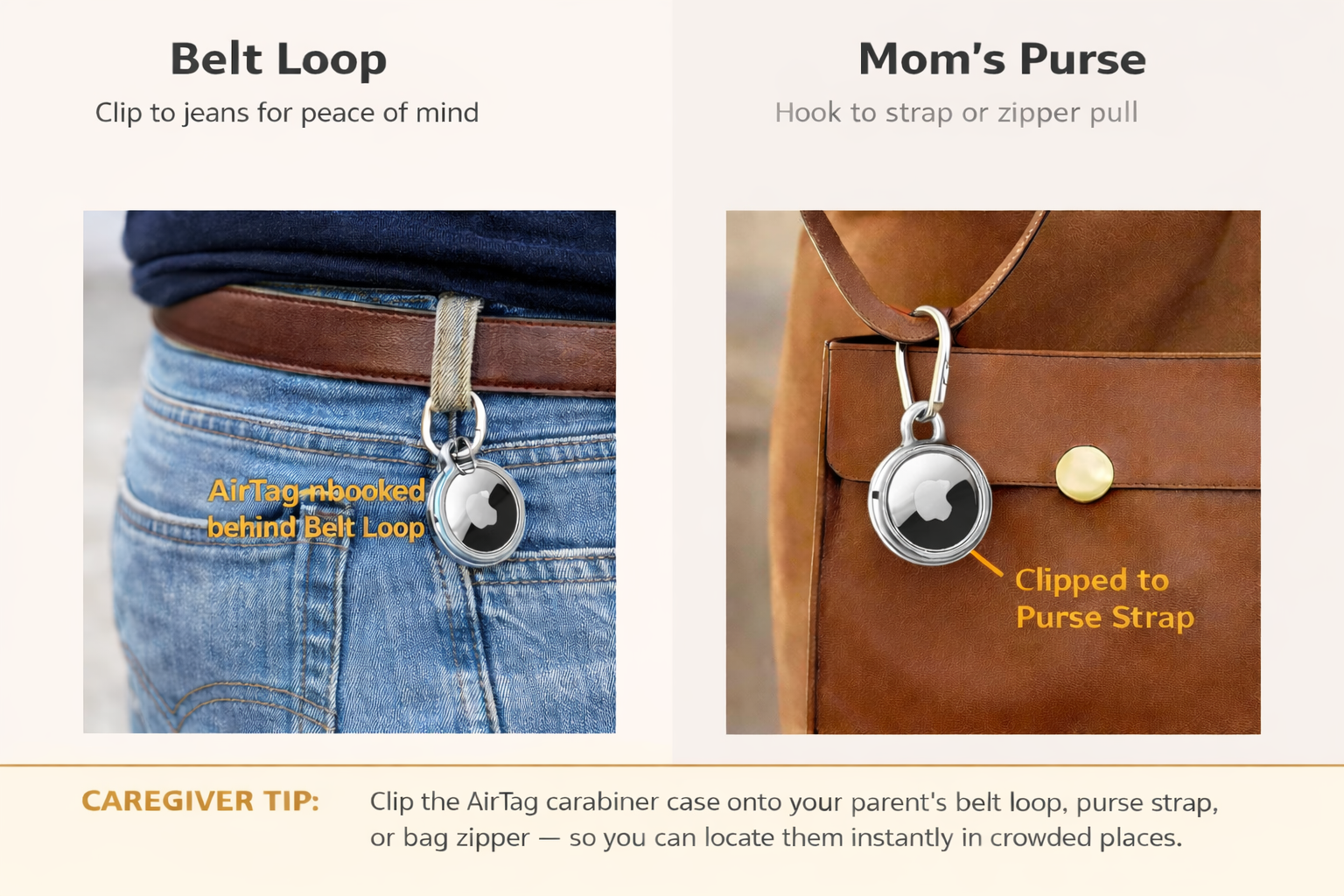
- Clip to Belt Loops & Purses for Crowded Places — Traveling with an elderly parent in a busy city or tourist area? Clip the AirTag carabiner case onto their belt loop, purse strap, or bag zipper. If you become separated at a market, airport, or cruise port, open Find My to see their location. The AirTag may work globally through Apple’s Find My network — no Wi-Fi needed where iPhones are nearby.
- Reduces Caregiver Stress & Anxiety — Seniors with memory challenges may misplace keys, wallets, and TV remotes frequently. Instead of an extended search, open the FindMy app and tap “Play Sound.” For caregivers, knowing Mom’s purse — and Mom — can be located at any moment can bring meaningful peace of mind.
Step 1: Set Up Your AirTag (One-Time)
- Remove the plastic pull tab from the AirTag to activate the battery. You’ll hear a chime.
- Hold the AirTag near your iPhone. A setup pop-up will appear automatically — tap “Connect.”
- Name your AirTag: choose from the built-in list (Keys, Luggage, Purse, Backpack) or tap “Custom Name” to type your own — for example, “Mom’s Purse” or “Dad’s Car Keys.”
- Tap “Done.” Your AirTag now appears in the Find My app under the “Items” tab. Repeat for each AirTag.
Tip: The 4-pack ($99) covers keys, luggage, a purse, and a spare — that’s under $25 each.
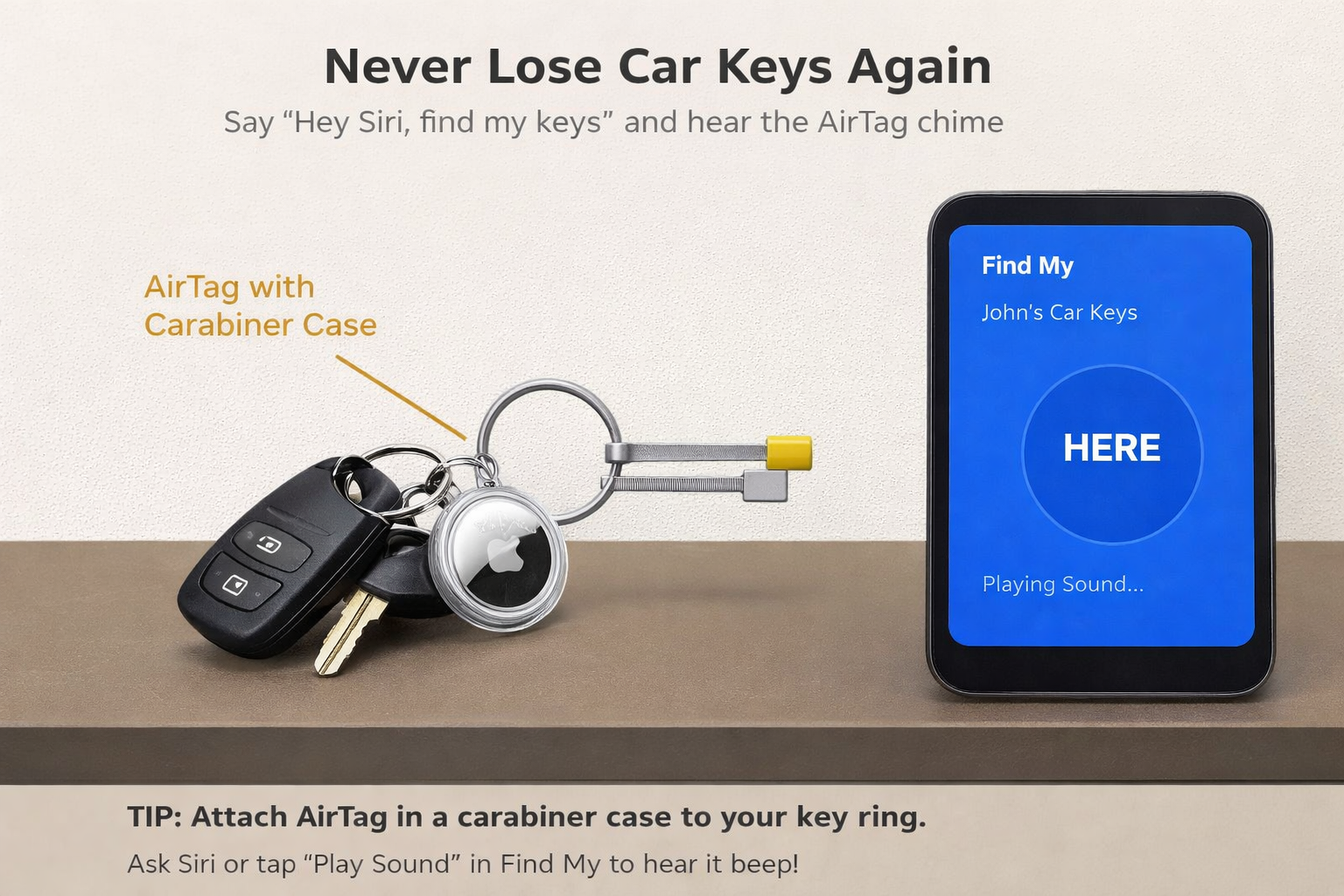
Step 2: Attach to Car Keys
- Snap the AirTag into the Tech21 EvoClear Carabiner Case until it clicks securely.
- Clip the carabiner onto the key ring, next to the car key and house key.
- Test: open Find My → Items tab → tap your key AirTag → tap “Play Sound.” You should hear a chime.
Tip: Say “Hey Siri, find my keys” for a completely hands-free option.
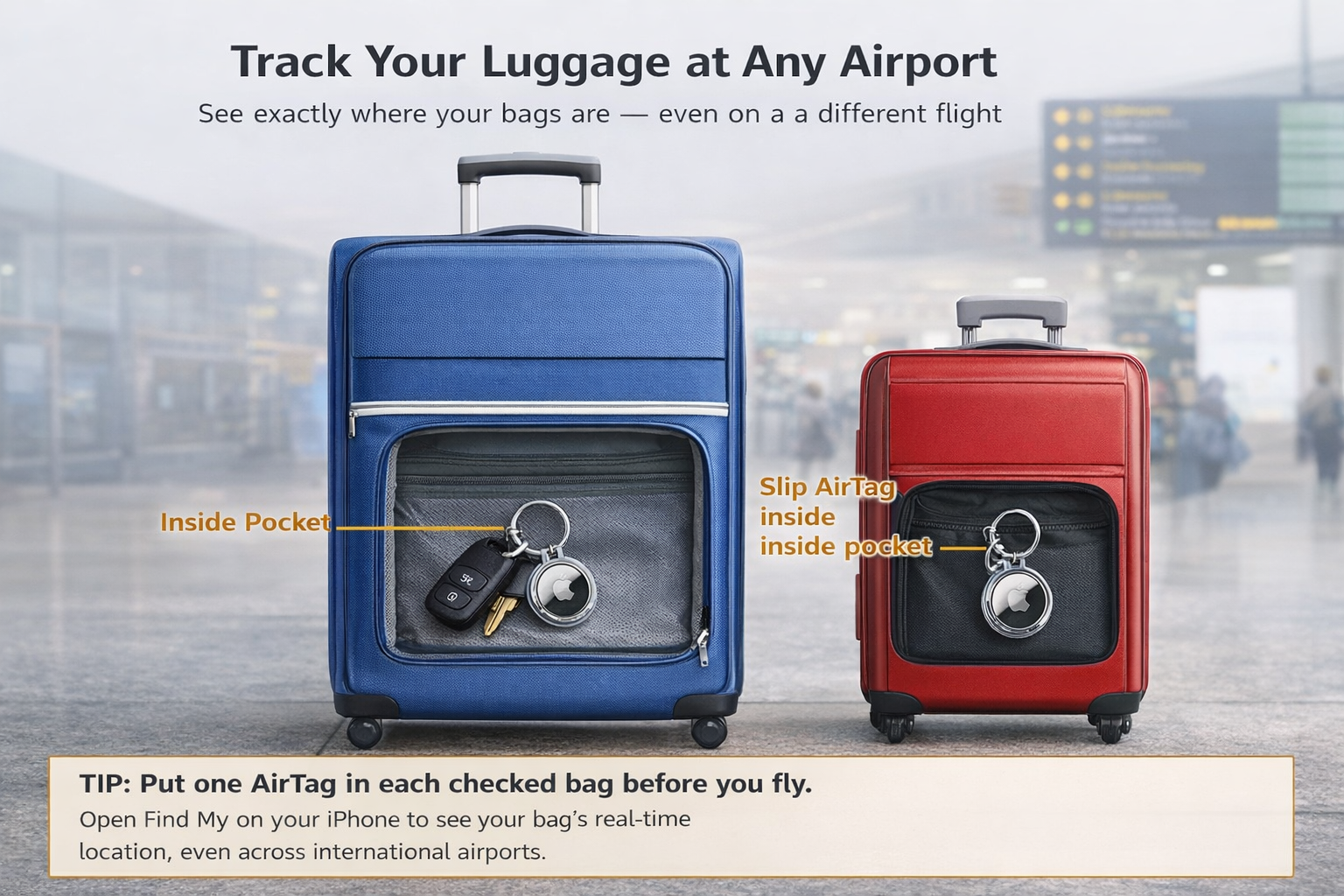
Step 3: Place Inside Luggage
- Slip the AirTag (no case needed) into an inside zippered pocket of each checked suitcase.
- For carry-on bags, clip the carabiner case to an outside zipper pull or luggage tag ring for quick visual access.
- At the airport: open Find My → Items → tap your luggage AirTag. See its location on the map.
Tip: Some airlines have begun integrating AirTag tracking with their apps. Check with your airline before travel for the latest options.
Step 4: Clip to Belt Loop or Purse (For Seniors)
- Snap the AirTag into the carabiner case. The Tech21 case has a flexible carabiner that hooks onto most straps and rings.
- For belt loops: hook the carabiner through a belt loop on your parent’s pants. It’s compact and lightweight.
- For purses: clip to a purse strap, D-ring, or zipper pull. For extra discretion, tuck it inside a pocket.
- Test: walk to another room and check Find My to confirm the location updates on the map.
Caregiver Tip: Helpful in crowded spaces like airports, malls, tourist sites, and cruise ports. If separated, open Find My and follow the directional arrow.
Step 5: Share AirTag Location with Family
- Open Find My → Items → tap the AirTag you want to share.
- Scroll down and tap “Share This AirTag.” Enter a family member’s phone number. They’ll receive a notification to accept.
- Once accepted, they can see the AirTag’s location in their own Find My app.
Tip: Share Mom’s AirTag with all siblings so everyone can check her belongings and location from their own phones.
Things to Consider
- iPhone required: AirTag requires an iPhone or iPad with iOS 14.5 or later to set up. Precision Finding works best with iPhone 11 or newer. Check apple.com for full compatibility details.
- AirTag is designed for tracking objects. For seniors with dementia who may wander, consider a dedicated GPS tracker with real-time alerts alongside AirTag as a backup. Speak with a healthcare provider about the most appropriate safety tools for your situation.
- Battery (CR2032 coin cell): designed to last 1+ year and is user-replaceable. Replacement batteries are available on Amazon.com (link below). Energizer is the best battery brand. No tools are needed.
- Water-resistant: The AirTag is rated IP67 — safe in rain, puddles, and splashes per Apple’s specifications. Verify current ratings at apple.com.
- Works globally: AirTag is designed to work through Apple’s Find My network wherever iPhones are nearby — typically in cities, airports, and high-traffic areas. Coverage varies by location.
Goldie’s Table: Buy This Gift For Loved Ones
|
Why It Helps Seniors |
Link |
|
|
Apple AirTag (2nd Gen) 4-Pack |
Tracks keys, luggage, purse + spare. 50% louder speaker. 1.5x farther Precision Finding. No monthly fee. Battery lasts 1+ year. |
|
|
Tech21 EvoClear Case with Carabiner (2-Pack) |
Drop-proof clear case with carabiner clip. UV-resistant, scratch-proof. Clips to belt loops, purses, luggage, key rings. |
|
|
Energizer CR2032 Batteries (10-Pack) |
Keeps AirTags running 1+ year per battery. Easy swap — no tools needed. Stock up so you’re never without tracking. |
Photos adopted from Claude, Amazon, Apple, and Tech21.
Disclaimer:
GoldieCircle may feature third-party products and services based on internal evaluation. Such top picks do not constitute a warranty or guarantee of performance, suitability, or lifespan. All products are subject to their respective manufacturers’ terms and conditions. GoldieCircle assumes no liability for any claims or damages arising from the use of any featured product or service.

Loading comments…