
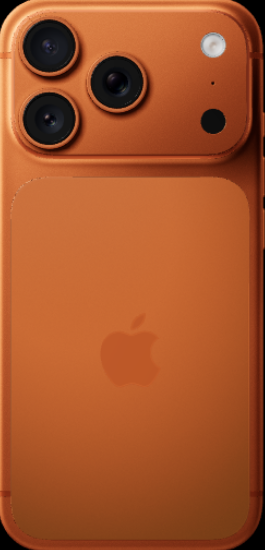
The Only Phone You’ll Need in Your Golden Years — iPhone 17 Pro Max Review
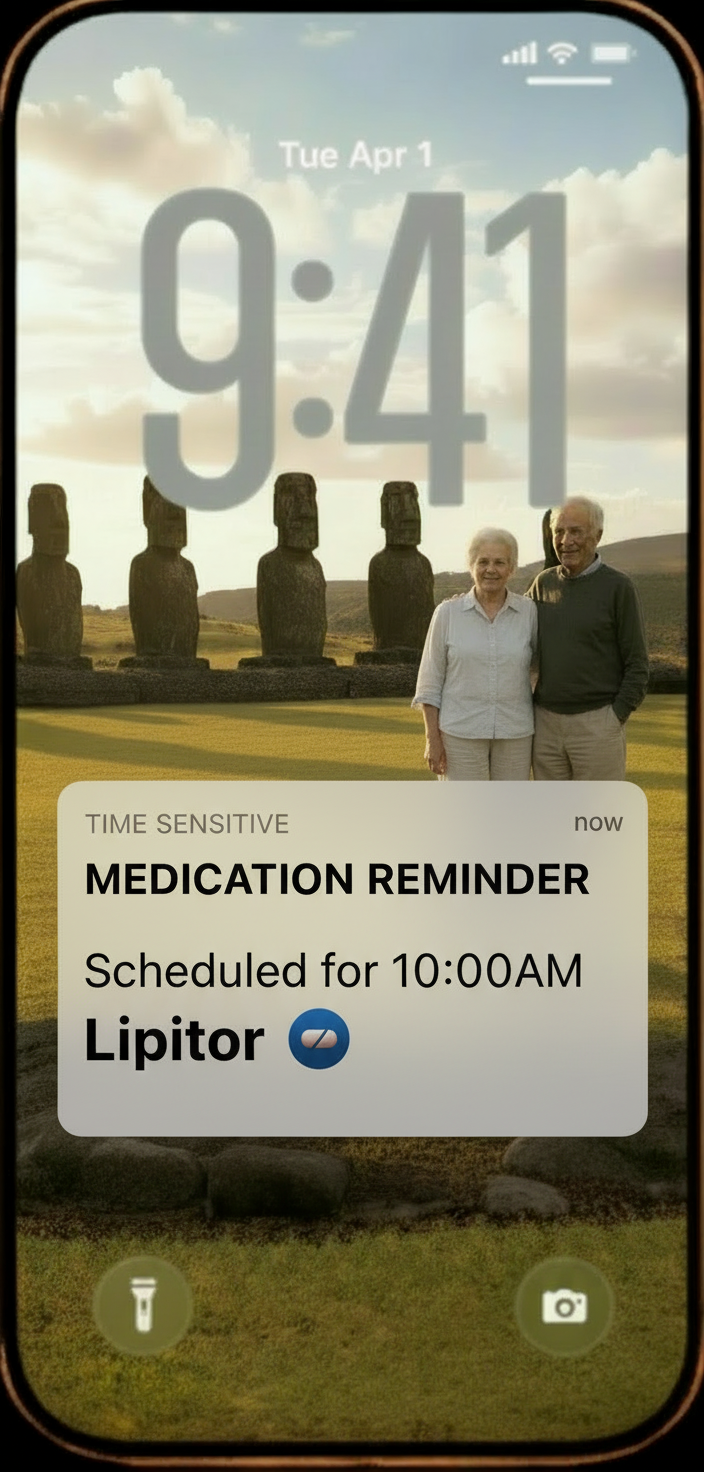
REAL-WORLD WAKE-UP CALL: For many older adults, a smartphone is their lifeline — it’s how they call for help, share their location with family, manage medication reminders, and video-call their doctor. But many seniors are still using phones with small screens, outdated software, and no location-sharing capability. If your parent travels internationally or lives alone, the inability to share their real-time location could delay emergency response in a crisis.
Find My — Real-Time Location Sharing Worldwide
Apple’s Find My app lets users share their location with family or caregivers for peace of mind during travel. Location sharing can be set for a specific time (one hour, end of day) or indefinitely. The iPhone is the key device for international tracking, as it can use cellular data or Wi-Fi to update location in real time. This is especially important for travelers who may be out of Wi-Fi range or in remote areas.
- The iPhone 17 Pro Max supports satellite-based messaging for remote regions with no cellular signal.
- International data plan: Purchase a plan from your carrier before traveling. Example: Verizon Wireless offers a 30-day international travel plan for approximately $100/month (as of late 2025) for data and up to 250 minutes. Check current pricing with your carrier before departure.
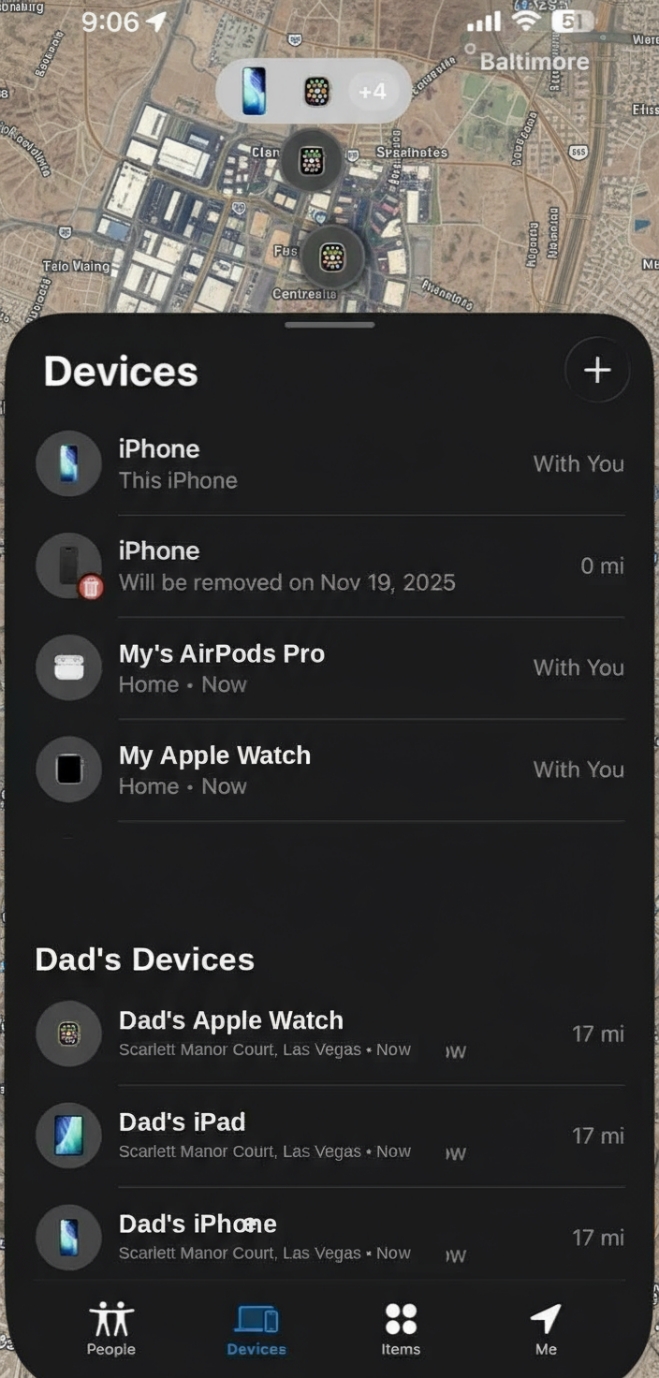
Practical Tips for Seniors and Caregivers:
- Always use the iPhone for location sharing when traveling overseas.
- Set up location sharing in Find My before travel and confirm the device is connected to data or Wi-Fi.
- Purchase an international data plan from your carrier to ensure continuous location updates.
Big, Bright, Easy-to-Read Display
The 6.9-inch screen (6.86” measured diagonally) is Apple’s largest display, designed for comfortable reading, watching shows, and seeing family on FaceTime. Large text and bright colors may help seniors read without eye strain.

All-Day Battery Life
The iPhone 17 Pro Max offers Apple’s best-ever iPhone battery life, with up to 4 more hours per charge compared to iPhone 15 Pro Max (per Apple). Many seniors forget to charge nightly. This phone is designed to easily last all day — and often longer — reducing the stress of managing battery life.
Global Support at Apple Stores
There are over 500 Apple Stores worldwide. Seniors can walk into any store for help, making the iPhone one of the most universally supported smartphones anywhere you travel. View Apple’s Store List →
Great for Video Calls With Your Doctor
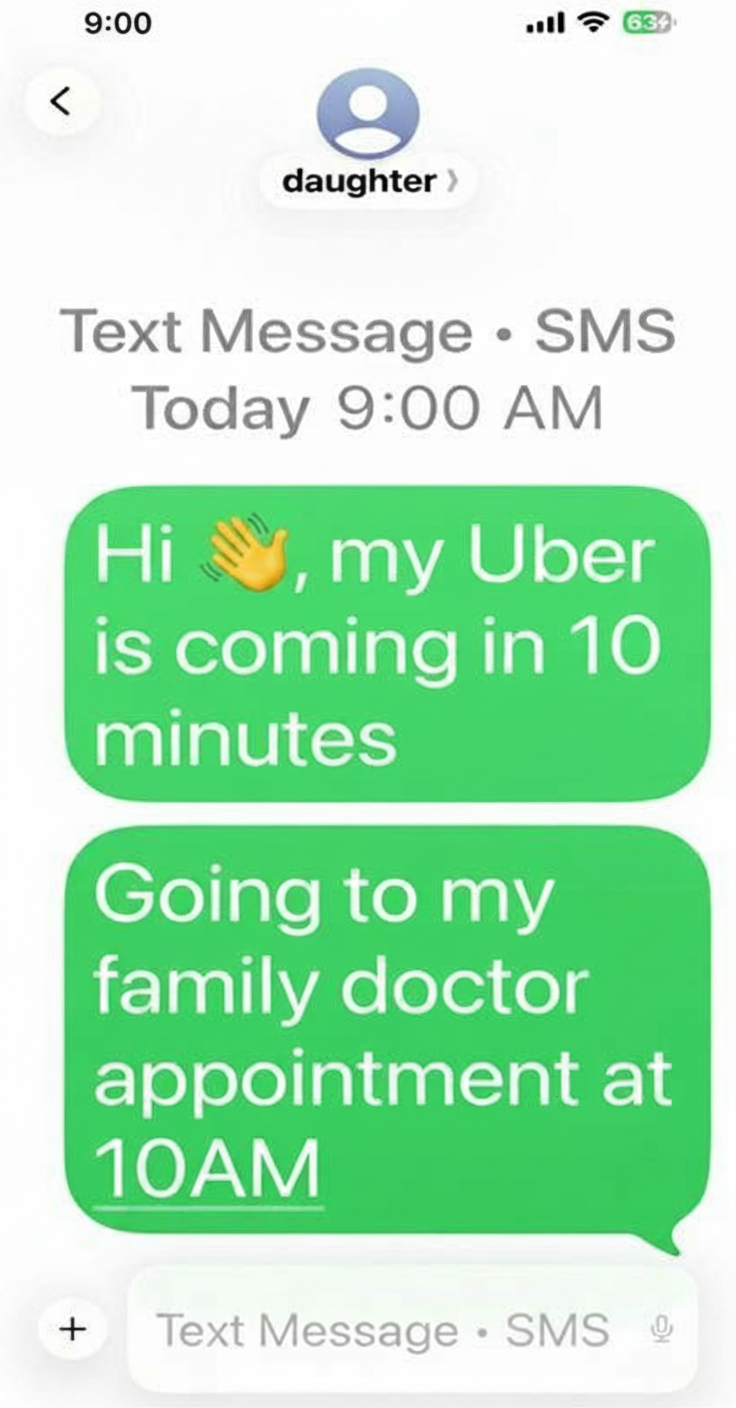
The advanced 18MP Center Stage front-facing camera is designed to deliver crisp, clear video and can automatically keep you centered in the frame. This may make remote doctor appointments easier, especially for seniors who prefer not to drive to the clinic.
Keep It Simple — Only Four Essential Apps for Seniors
- Phone: for making calls
- Messages (iMessage): for texting
- Find My: for location tracking
- YouTube: for entertainment
Caregiver Tip: Just like an iPad, delete extra apps to avoid confusion and keep the screen uncluttered.
iCloud Backup — Stress-Free New iPhone Setup
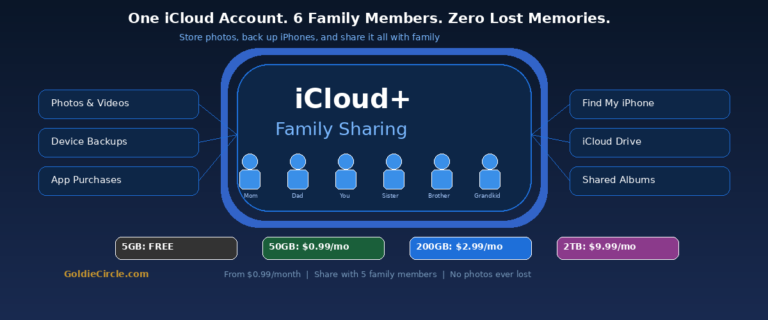
For just $0.99/month, iCloud can safely save all your photos, videos, contacts, and apps. The 50 GB plan is usually enough for seniors, and you can upgrade later if needed. This makes getting a new iPhone simple — everything comes back exactly the same.
- If you have a lot of photos and videos, setting up your new iPhone may take 1–2 hours with fast home internet because your phone downloads everything from iCloud.
Cybersecurity Tip: Require Face ID for Sensitive Apps
Enable Require Face ID for sensitive apps by pressing and holding the app icon, then selecting “Require Face ID.” This adds an extra layer of protection for banking and investment apps, password managers, and Apple Notes (especially if you store personal or financial information). This prevents anyone — such as a repair technician or someone borrowing your phone — from opening these apps without your Face ID.
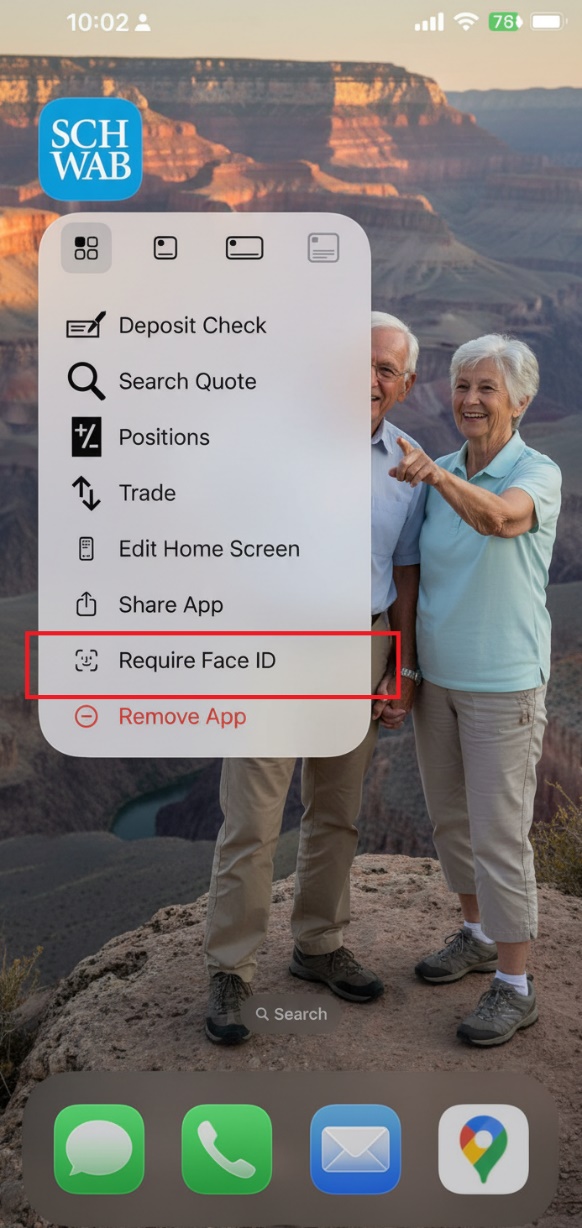
An example using the Charles Schwab financial app with “Require Face ID” turned on.
You can trade in your older iPhone each year and upgrade to the newest model at a reduced cost. Thanks to your Apple ID and iCloud, setting up a new iPhone is quick and simple — everything transfers automatically.
Example (check current values — prices change frequently):
- 2024 iPhone 16 Pro Max (1 TB) trade-in: ~$600 (as of late 2025 via Amazon Trade-In)
- 2025 iPhone 17 Pro Max (1 TB) new: $1,599 (Apple MSRP)
- Difference: ~$999, or about $83/month to have the latest technology during your golden years. Learning new technology can help keep the brain active!
Amazon Trade-In Program
|
Step |
Action |
Details |
|
1 |
Visit Amazon Trade-In |
Go to amazon.com/tradein and check if your device qualifies. |
|
2 |
Select Your Item |
Choose the correct model and brand. |
|
3 |
Describe Its Condition |
Answer short questions: Does it power on? Is the screen cracked? |
|
4 |
Get a Quote |
Amazon provides an estimated trade-in value (gift card or promo credit). |
|
5 |
Ship the Item |
Print the free shipping label or visit a UPS/FedEx store. |
|
6 |
Amazon Inspection |
Amazon inspects your item. If your description matches, they confirm the value. |
|
7 |
Receive Credit |
Value is issued as Amazon Gift Card credit. |
|
8 |
Shop with Credit |
The amount is automatically added to your account balance. |
Accessible and Comfortable
The 6.9-inch screen with large text and voice-command options is designed to help seniors see and navigate easily. Say “Hey Siri” to play music, make calls, or start FaceTime without touching the screen.
Things to Consider
- The iPhone 17 Pro Max is a premium device. The 256 GB model starts at $1,199, with 512 GB at $1,399, 1 TB at $1,599, and 2 TB (new for 2025) at approximately $1,999. Check Apple.com for current pricing.
- Buying used or renewed from Amazon can save money. Amazon offers easy returns if you’re not satisfied after testing.
- An “Unlocked” iPhone means you can use it with any U.S. carrier (T-Mobile, Verizon, AT&T, etc.).
- International data plans vary by carrier and destination. Purchase before departure and confirm coverage for your specific countries.
- iCloud 50 GB ($0.99/month) is usually sufficient for seniors. If you have large photo/video libraries, consider 200 GB ($2.99/month) or 2 TB ($9.99/month). If you have family members who are your caregivers, suggest doing iCloud Family Plan. Read the iCloud’s Family Plan article for additional information.
- Setting up a new iPhone from iCloud backup may take 1–2 hours depending on the amount of photos and videos in your old phone and your home internet speed.
- The phone weighs 233g (~8.2 oz). If your parent has hand or grip issues, consider a case with a strap or PopSocket for easier handling.
Goldie’s Table — Gifts for Loved Ones
|
Product |
Why It Helps Seniors |
Link |
|
2025 Apple iPhone 17 Pro Max 1 TB (Used/Renewed, Unlocked) |
6.9-inch display, Find My location sharing, satellite messaging, all-day battery, 18MP Center Stage camera for video calls, Face ID, Siri voice control. Used/renewed saves money with easy Amazon returns. |
|
|
Apple Case Cover (Apple Brand, MagSafe) |
Fits perfectly, protects the iPhone, and supports MagSafe wireless charging — just place the phone on a charger, no cables to plug in. Simple and wire-free for seniors. |
|
|
Belkin 9.9-Foot USB-C Charging Cable |
Extra-long cable for bedside charging. Allows seniors to use the phone while plugged in without straining to reach a short cord. |
Photo adopted from ChatGPT and Apple.com.
Disclaimer: GoldieCircle may feature third-party products and services based on internal evaluation. Such top picks do not constitute a warranty or guarantee of performance, suitability, or lifespan. All products are subject to their respective manufacturers’ terms and conditions. GoldieCircle assumes no liability for any claims or damages arising from the use of any featured product or service.


Loading comments…