
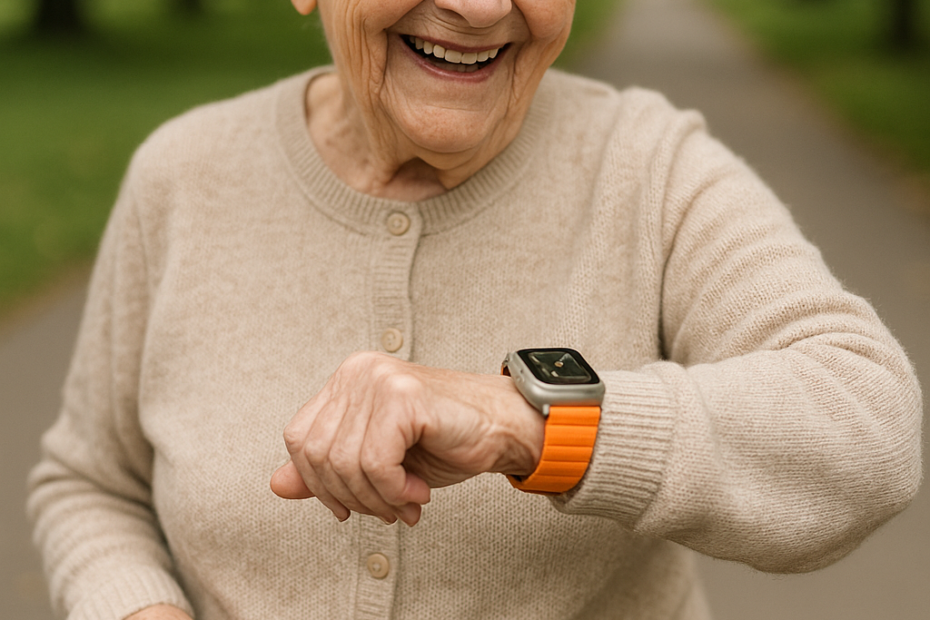
🕰️ My Mom Lives Alone So I Gave Her an Apple Watch Ultra 3 That Calls 911 When She Falls
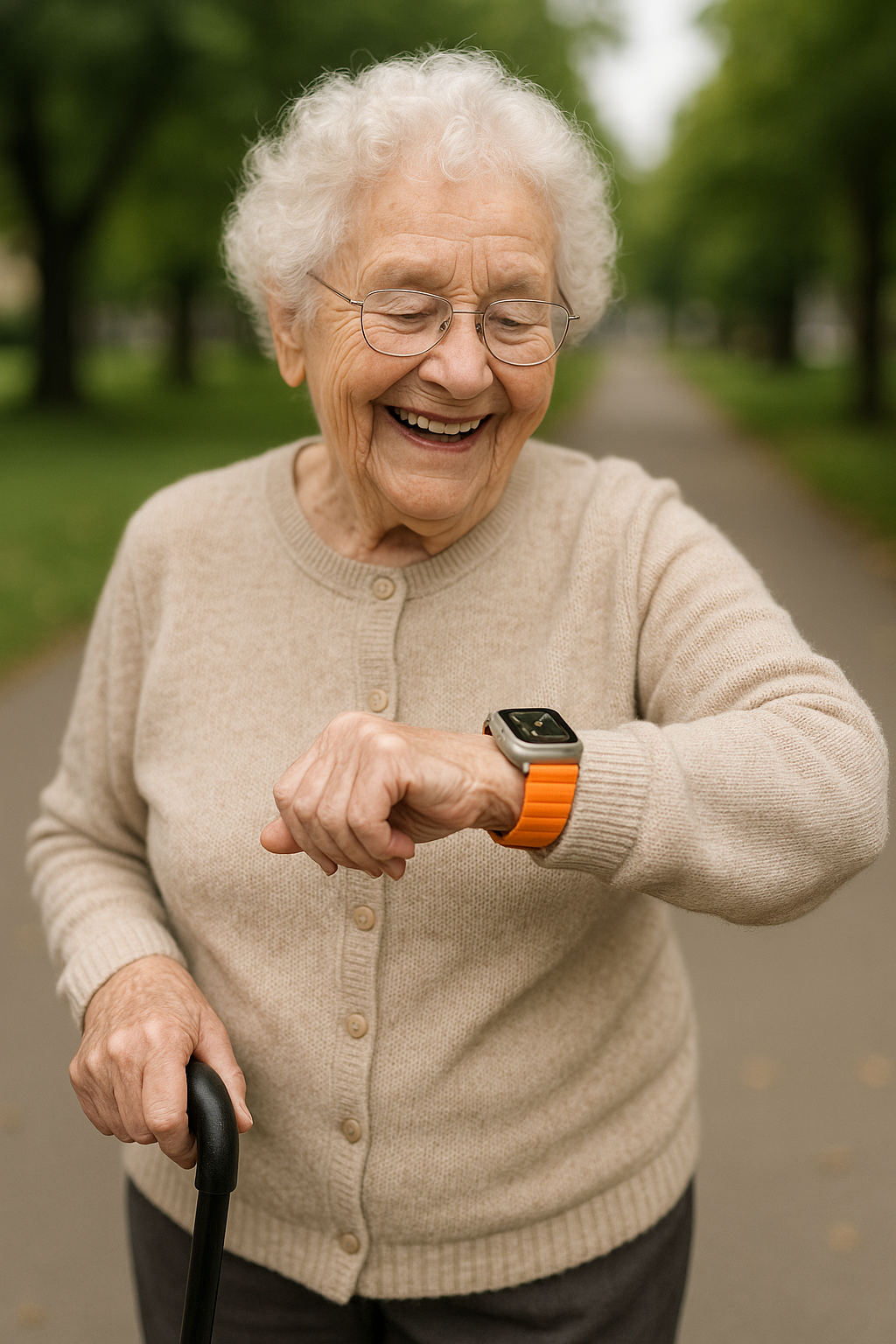
🧑⚕️ Perfect for seniors
✈️ Ships free with Amazon Prime | 💰 Save with Medicare rebate programs (check eligibility)
💡 Key Points:
The Apple Watch Ultra 3 is not just a gadget — it’s a safety tool, a phone replacement, and a health tracker all in one. Designed with simplicity, visibility, and durability in mind, it’s the ideal choice for seniors.
✅ Why Seniors and Caregivers Love It
📞 Speed Dial Like a Flip Phone (Main Reason)
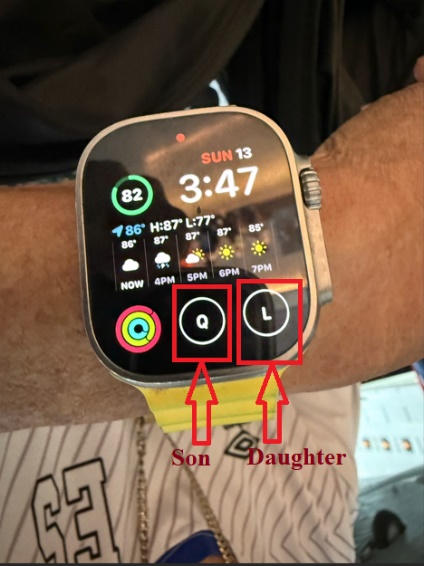
Set two emergency contacts. Example, your son and daughter and call them instantly with one tap.
🔋 3-Day Battery Life
Longest-lasting battery of any Apple Watch model. Avoid turning on Low Power Mode just to save battery, because it can reduce continuous health monitoring features, such as heart rate notifications. No daily charging needed.
🔌 One-Tap Charging for Aging Eyes
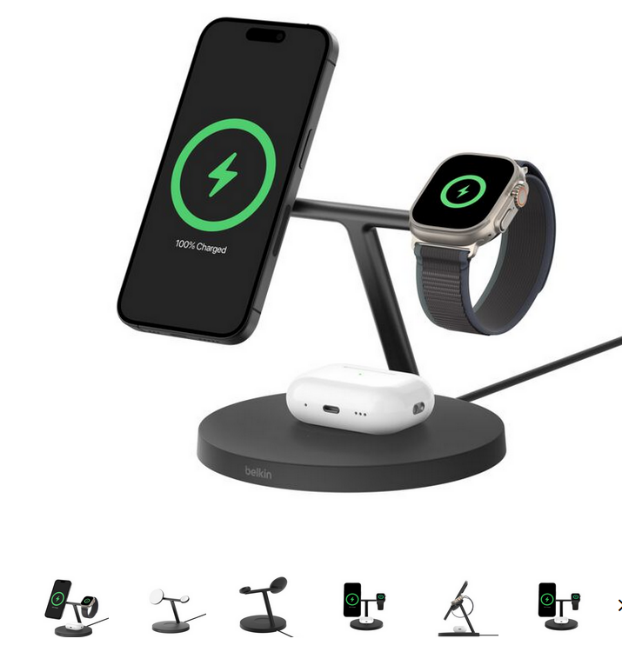
No more struggling with cords. Most buyers pair it with the Belkin 3-in-1 Wireless Charging Stand (our top pick) — great for those with limited vision or arthritis.
🆘 Emergency Features That Actually Matter
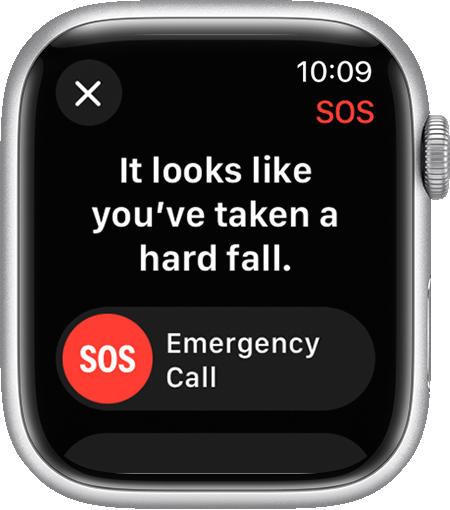
- Fall Detection can help seniors by detecting a hard fall from wet floor or stairs at home, alerting the wearer, and automatically contacting emergency services if there is no response in 60 seconds then it will countdown to 30 seconds before it contacts emergency services. It can also notify emergency contacts (loved ones) with the wearer’s location after it contacted emergency services. More information will be here: https://support.apple.com/guide/watch/manage-fall-detection-apd34c409704/watchos.
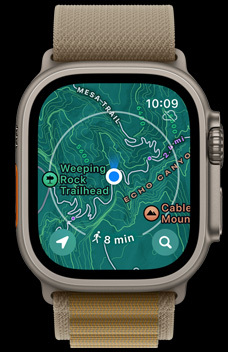
- Dual-frequency GPS so caregivers always know where their loved one is.
📱 Set Up Guide: Apple Watch Ultra 3 Step by Step
Option A: With Shared iPhone (Recommended)
When paired with an iPhone, your Apple Watch Ultra 3 has full functionality including cellular calls, texts, and data both in the US and internationally.
1. Turn on your iPhone and make sure it’s updated to the latest iOS.
2. Hold your Apple Watch Ultra 3 near the iPhone. A pairing animation will appear on the iPhone screen.
3. Tap “Continue” and point the iPhone camera at the swirling pattern on the watch.
4. Choose “Set Up for Myself” (or “Set Up for a Family Member” if the senior does not have their own iPhone).
5. When prompted, activate Cellular → follow the carrier instructions to add the watch to your cellular plan. Currently, it is about $15 per month without discounts (does not hurt to ask for discounts). Visit Verizon for more information about the Apple Watch plans: https://www.verizon.com/plans/devices/smartwatches/
6. Enable Fall Detection, Emergency SOS, and Medical ID in the Watch app under “Emergency SOS” settings. Medical ID will ask details such as blood type, so have that information ready. This setup is especially important for remote areas with no cellular service, because Apple Watch Ultra 3 supports Emergency SOS via satellite, which can help send texts and send alerts to emergency services when rescue is needed.
7. Set up speed dial contacts (see “Customize the Watch Face” section below).
✅ With a shared iPhone, the watch works everywhere — in the US and internationally. Calls, texts, GPS, and all features are fully available.
Option B: Without Shared iPhone (US Only)
A family member can set up the Apple Watch Ultra 3 using Apple’s “Family Setup” feature on their own iPhone. The senior does not need their own iPhone.
1. On your iPhone, open the Watch app → tap “All Watches” → “Add Watch” → “Set Up for a Family Member.”
2. Follow the pairing steps (hold watch near iPhone, scan the pattern).
3. Create an Apple ID for your senior (or use their existing one).
4. Activate Cellular when prompted — the watch gets its own phone number. You can always change the phone number later if you do not like it by visiting your mobile carrier website or call them on the phone.
5. Enable Fall Detection, Emergency SOS, and Location Sharing.
⚠️ Important International Limitation: Without a shared iPhone, the Apple Watch Ultra 3 will NOT work internationally for calls or cellular data. It has no cellular signal outside the US. The watch will only make/receive calls and texts within the United States. If your senior travels internationally, they MUST have a shared iPhone paired for the watch to function abroad. GPS and offline features (fall detection, crash detection) still work anywhere with shared iPhone paired to the watch. It only works with Apple Watch Ultra 3 paired with iPhone 14 or later.
🎨 Customize the Watch Face for Seniors to have Two Speed Dials of Loved Ones
Follow these steps to set up a senior-friendly watch face with weather, activity rings, and speed dial buttons for your two favorite contacts (e.g., Son and Daughter):
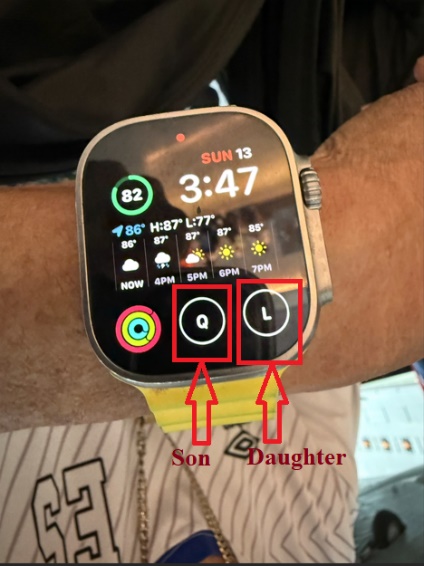
Step 1: On the Apple Watch, press and hold the watch face → swipe to “Modular Ultra” or “Infograph” face → tap “Edit.”
Step 2 – Add Weather: Tap the top center complication slot → scroll to “Weather” → select “Current Weather” or “Hourly Forecast.” This shows temperature, conditions, and hourly forecast right on the watch face.
Step 3 – Add Speed Dial for Son: Tap one of the bottom complication slots → scroll to “Contacts” → select your son’s name. One tap on this button will call your son instantly.
Step 4 – Add Speed Dial for Daughter: Tap the next available complication slot → scroll to “Contacts” → select your daughter’s name. Now both contacts are one tap away.
Step 5 – Add Activity Rings: Tap another slot → choose “Activity” to display the colorful Move/Exercise/Stand rings.
Step 6: Press the Digital Crown to save. Your senior will now be able to see the weather, speed dial for their son and daughter, the day of the week, battery level, and activity rings — all visible at a glance!
💡 Tip: Choose the “Modular Ultra” face for the largest, easiest-to-read complications.
🎁 Buy These Gifts For Loved Ones
|
Product |
Why It Helps Seniors |
Link |
|
Apple Watch Ultra 3 (GPS + Cellular) |
Works without iPhone nearby in the US. Fall detection, Emergency SOS, GPS tracking, speed dial, 3-day battery. The ultimate safety watch for seniors. |
|
|
Belkin 3-in-1 Charging Stand |
Simplifies charging for aging eyes and arthritic hands. MagSafe compatible. Charges Apple Watch, iPhone, and AirPods in one stand. No fumbling with cables. |
|
|
Hermès Band from Paris – 49mm (Luxury) |
Premium luxury band in Orange, Oliver, or Blue. Beautiful gift for a senior who deserves something special. Fits Apple Watch Ultra 3. |
|
|
Milanese Loop Band – 46mm |
Elegant magnetic band in Gold, Natural, or Slate. Easy to put on with one hand – no buckle or clasp. Perfect for seniors with limited dexterity. |
Photos adopted from Claude, ChatGPT, Amazon, and Apple.
Disclaimer: GoldieCircle may recommend third-party products and services based on internal evaluation. Such recommendations do not constitute a warranty or guarantee of performance, suitability, or lifespan. All products are subject to their respective manufacturers’ terms and conditions. GoldieCircle assumes no liability for any claims or damages arising from the use of any recommended product or service.
Reader Feedback
Join GoldieCircle to leave a comment.