
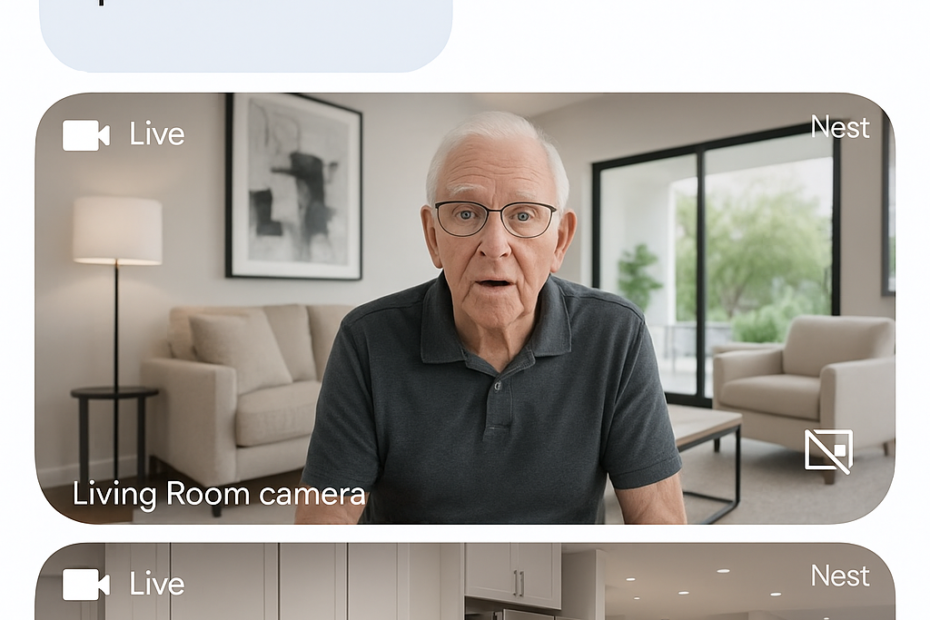
🏠 Care for Your Parents from Anywhere: Why the Google Nest Cam Outdoor Is the Ideal “Virtual Walkie-Talkie”

🚚 Free shipping and return from Amazon | 📱 App works with iOS & Android
💡 Key Points:
The Google Nest Cam Outdoor (Battery but with Charging Wire) is more than just a security camera — it’s a 24/7 peace-of-mind tool for adult children caring for parents remotely. With crystal-clear two-way audio and smart alerts, it allows you to see and speak to your loved ones from anywhere — like a modern-day walkie-talkie.
✅ Why Families Are Choosing This Brand Over Other Outdoor and Indoor Cameras
🗣️ Talk & Listen in Real Time
Its two-way audio is faster and clearer than most indoor models, with no noticeable lag — especially compared to the Nest Indoor version. It’s like being in the same room.
“Hi Mom, I see you’re up! Did you take your morning meds?”
🛋️ Install Indoors for Daily Check-ins
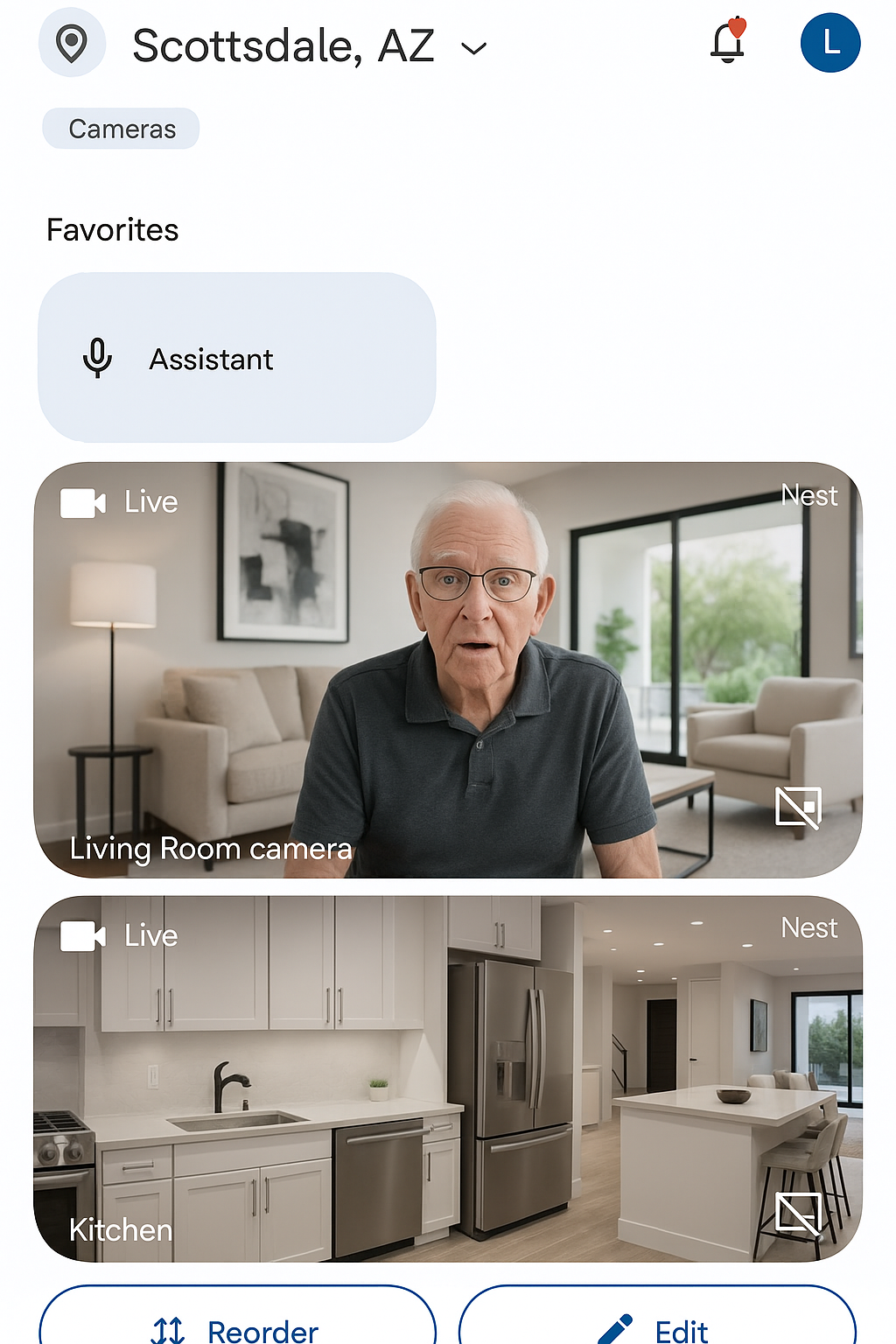
Although it’s technically an outdoor camera, many caregivers install the Nest Cam in a central area like the living room to safely and respectfully monitor walking patterns, TV time, or meal routines.
✔️ It’s battery-powered and doesn’t require drilling
✔️ Mounts magnetically or with an easy stand
✔️ 130° wide-angle view for full-room coverage
📦 Why Not the Nest Indoor Camera?
While budget-friendly, the Nest Indoor lags in both video speed and audio clarity, especially during real-time conversations. For loved ones who are hard of hearing or visually impaired, milliseconds matter.
🧠 No Need to Watch 24/7
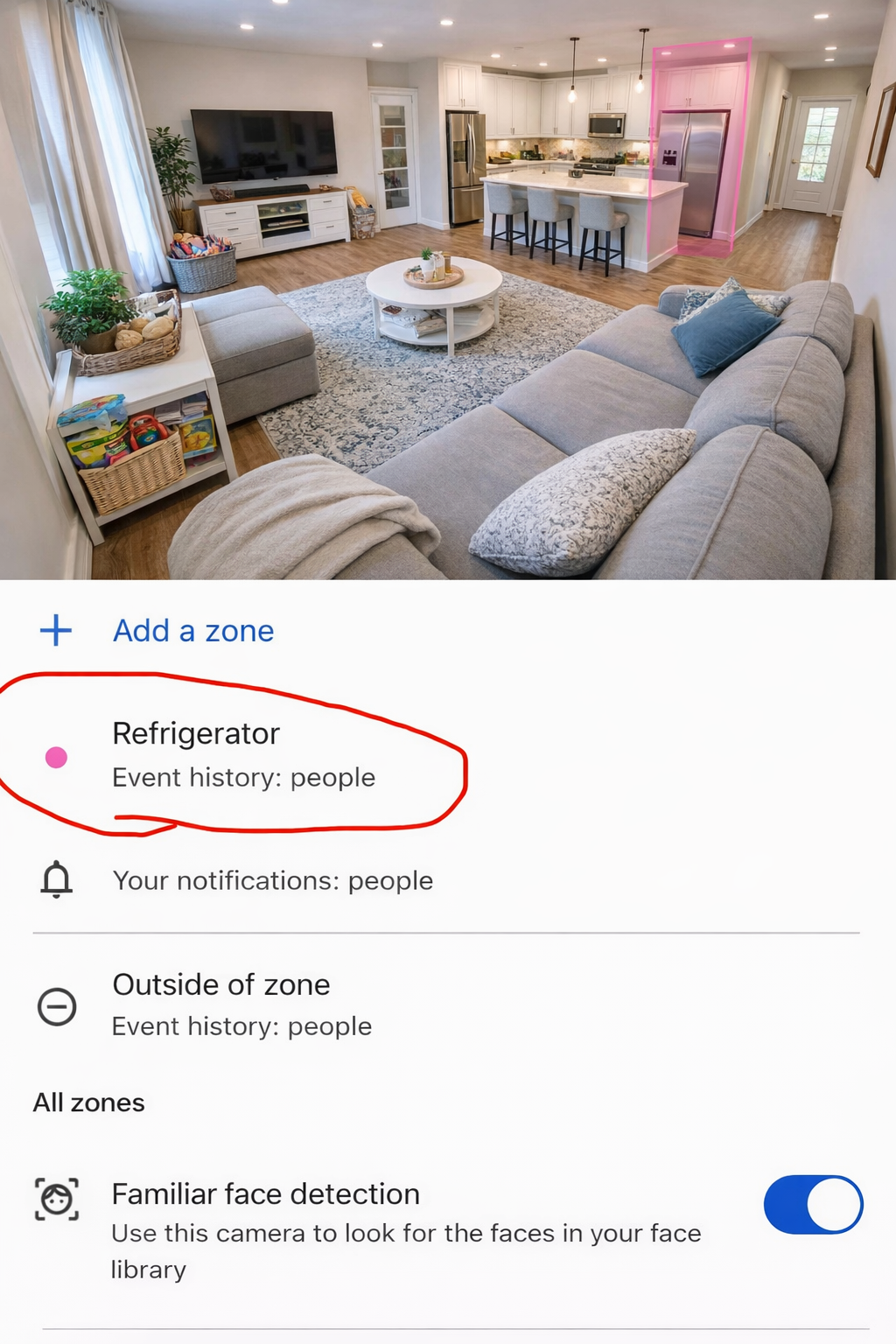
You don’t need to “spy” or hover — the Nest app sends smart motion alerts (when they walk by, open the fridge, or sit down). Set Activity Zones (Click Here to Learn How To) to only get notified when something matters.
🆘 Safety Without Overstepping
✔️ Respect privacy by letting your loved one know the camera is there for emergencies and peace of mind, not surveillance.
✔️ Place it in public areas only (like the living room or kitchen) — not bedrooms or bathrooms.
✔️ Use the microphone feature only when appropriate, like daily wellness checks.
Caregiving should feel supportive, not invasive. The Nest Cam lets you stay close without crossing lines.
📱 Set Up Guide: Google Nest Cam Step by Step
Follow these steps to get the Google Nest Cam running and connected to all family members who want to check in on your loved one.
Step 1 – Unbox and Charge: Charge the Nest Cam fully using the included USB-C cable before mounting. A full charge takes about 5 hours and lasts up to 7 months with events-only recording, or plug it in with the weatherproof charging cable for 24/7 continuous power.
Step 2 – Download the Google Home App: On your iPhone or Android phone, download the free Google Home app from the App Store or Google Play Store.
Step 3 – Add the Camera: Open Google Home app → tap “+” → “Set up device” → “New device.” Follow on-screen instructions and scan the QR code on the bottom of the camera.
Step 4 – Connect to Wi-Fi: Select your parent’s home Wi-Fi network and enter the password. Strong Wi-Fi is essential (1GB from Verizon recommended). Add a Verizon extender if has Verizon Fios or mesh extender if the router is far away from the camera.
Step 5 – Choose a Location: Place or mount the camera in a central living area (living room or kitchen). The magnetic base makes it easy to reposition. Aim for a 130° wide-angle view of the main area where your parent spends time.
Step 6 – Set Up Activity Zones: In the Google Home app, tap Camera → Settings → Events → Activity Zones. Draw zones around key areas like the refrigerator or front door so you receive meaningful real-time alerts — not every passing shadow. For example, you can monitor how often your parents open the refrigerator each day. If there’s no activity at the fridge, it may indicate they haven’t eaten — giving you a simple, respectful way to check on their daily routine and well-being.
Step 7 – Enable Notifications: In Google Home app → Camera settings → Notifications → turn ON. Choose to be notified for People, Animals, Vehicles, or All motion. This is how you get real-time alerts on your phone.
Step 8 – Invite Family Members: In Google Home app → Home Settings → click on + next to your home on top to invite → Invite member. Each family member installs Google Home, accepts the invite, and gets their own access to view the camera and talk through two-way audio. This allows brothers and sisters to take turns checking in on your parents — from anywhere in the world — so care and monitoring can be shared as a family.
Step 9 – Test Two-Way Audio: Open the camera live view in the app and tap the microphone icon. Speak and confirm your parent can hear you clearly. This is your “virtual walkie-talkie” — use it for daily check-ins like “Hi Mom, did you take your morning meds?”
💡 Tip: Turn OFF “Do Not Disturb” or add Google Home as an exception on your phone so you don’t miss night alerts. Consider the Nest Aware subscription ($10/month for all cameras) for 24/7 continuous recording and 60-day event history.
🎁 Buy These Gifts For Loved Ones
|
Product |
Why It Helps Seniors |
Link |
|
Google Nest Cam Outdoor (Battery) |
Crystal-clear two-way audio for daily check-ins. 130° wide-angle view. Smart person/animal/vehicle alerts. No hardwiring needed – magnetic mount. Your “virtual walkie-talkie” to talk with Mom and Dad anytime. |
|
|
Google Nest Weatherproof Charging Cable |
Plug in for continuous 24/7 power – no more recharging the battery. Ideal if the Nest Cam is mounted on top of the living room or any indoor spot. Weatherproof for outdoor use too. Eliminates battery maintenance for seniors. |
|
|
Google Nest Cam with Floodlight |
Hardwired camera + 2,400-lumen floodlights for the parking garage or driveway. Detects people, animals, and vehicles. Real-time alerts and two-way audio. Requires handyman installation. Zero maintenance once installed. |
|
|
Google Nest Aware Subscription ($10/month for all cameras) |
24/7 continuous recording with 60-day event history. Smart alerts for people, animals, and vehicles. Familiar face detection so you know who is at the door. Covers ALL Nest cameras in the home with one subscription. |
Photos adopted from Claude, ChatGPT, and Google.
Disclaimer: GoldieCircle may recommend third-party products and services based on internal evaluation. Such recommendations do not constitute a warranty or guarantee of performance, suitability, or lifespan. All products are subject to their respective manufacturers’ terms and conditions. GoldieCircle assumes no liability for any claims or damages arising from the use of any recommended product or service.
Reader Feedback
Join GoldieCircle to leave a comment.