
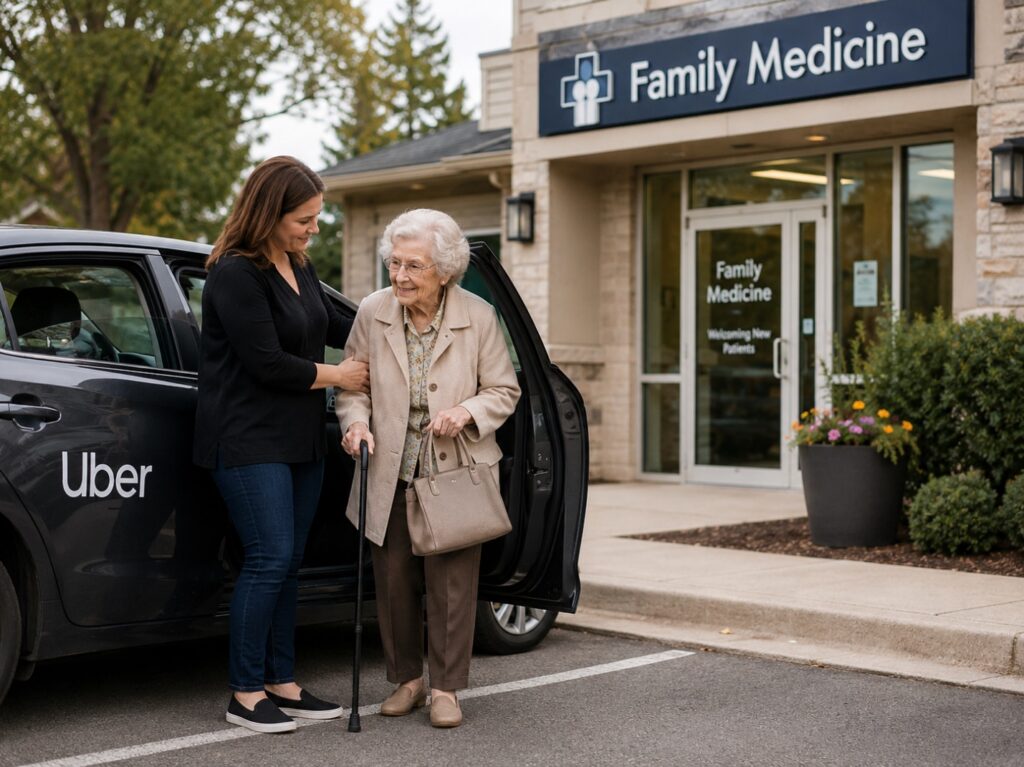
REAL-WORLD WAKE-UP CALL: For many seniors, using rideshare is not just about getting from one place to another. The scary part is getting into a car with someone they do not know. Imagine an 82-year-old woman who needs a ride to her family doctor’s office. Her adult children are working, she no longer drives, and the appointment is important. An Uber arrives, but she feels nervous. She checks the car, looks at the driver, and quietly wonders: “Is this really my ride? Can I trust this person?” That fear is real. Seniors may worry about getting into the wrong car, being taken to the wrong location, not knowing how to use the app, or not having someone nearby if something feels off.
- Women Drivers Preference – Uber’s nationwide “Women Preferences” (rolled out March 9, 2026) lets women riders request to match with women drivers on-demand, by advance reservation, or as a saved default setting. The preference can raise the odds, but is not guaranteed.
- Share My Trip with Trusted Contacts – You (the caregiver) get a live map link with the driver’s name, photo, vehicle, and license plate. No Uber app needed on your end. Set it to share automatically every ride.
- Safety Toolkit (Blue Shield) – One tap during the trip opens 911 with trip data auto-shared in many U.S. cities, plus the 24/7 Safety Line, encrypted Audio Recording, and Share Trip Status.
- Uber Comfort Tier – Drivers must hold a 4.85+ rating, drive newer mid-size or larger vehicles with more legroom, and you can pre-set temperature and “quiet preferred” conversation. Costs roughly 20%–40% more than UberX.
- Note for Driver – A free-text note that travels with each trip request (e.g., “Senior rider with severe fragrance allergy — please no air freshener, perfume, or smoking. Thank you.”).
- PIN Verification – A 4-digit PIN your mom reads aloud before the trip starts. It is the strongest defense against the “fake Uber” pickup scam.
- Uber Reserve – Book a ride up to 90 days in advance with a locked-in price. Pair with Women Drivers to schedule a woman driver ahead of time.
1. Turn On the Women Drivers Preference
Available across the United States to riders whose Uber profile gender is set to “Woman.”
- Open the Uber app. Tap the profile icon (bottom right).
- Account → Settings → Personal info → Gender. Confirm “Woman” is selected. (This is what unlocks the Women Drivers options.)
- Settings → Ride preferences (or “Women drivers”). Toggle on “Women drivers preferred.” The preference will apply automatically to UberX and Uber Electric trips.
- For a one-off trip: After entering the destination, on the ride-options screen, tap the “Women Drivers” tile. If the wait time is long, the app shows how much sooner a standard ride would arrive.
2. Set Trusted Contacts and Share Every Trip Automatically
- Open the Uber app: Account → Settings → Safety → Trusted Contacts.
- Add up to five contacts (you, the other parent, a neighbor, mom’s adult children). Each contact receives a text invitation the first time.
- Toggle “Share trip status automatically” so every ride sends the live link without mom having to remember.
- Test it: Order a short ride and confirm your phone receives the text link. The link shows live map, driver name, photo, vehicle make/model, and license plate. The contact does not need to have the Uber app installed.
3. Use the Safety Toolkit (Blue Shield Icon)
This is the in-trip panic toolkit. Practice it together until mom can find it in two seconds.
- During a ride, tap the blue shield icon on the map screen.
- Show her the four key options:
- Emergency – Call 911: In a growing number of U.S. cities, Uber automatically shares GPS, vehicle make/model, and license plate with the 911 dispatcher (via partner RapidSOS), so help can be routed faster.
- Safety Line: Discreet text or call to Uber’s specially trained 24/7 safety team. Useful when something feels off but is not yet a 911 emergency.
- Record Audio: Encrypted audio is stored on mom’s phone and only shared with Uber if she submits a safety report. Drivers in audio-recording markets are notified that recording is enabled.
- Share Trip Status: A second one-tap way to push the live trip link out, in case the automatic share was turned off.
RideCheck (automatic, no setup needed): Uber’s sensors and GPS detect unusually long stops, possible crashes, or off-route detours, and prompt both mom and the driver to confirm everything is fine. This is the feature that directly addresses the “weird detour” fear.
4. Choose Uber Comfort for Higher-Rated Drivers and Pre-Set Preferences
Uber Comfort costs roughly 20%–40% more than UberX, and is well worth it for an aging parent.
- Ride-options screen: Scroll until you see “Comfort.” It is marked “Top-rated drivers.”
- Why it helps: Drivers must hold a 4.85+ rating and drive newer, mid-size or larger vehicles with extra legroom. The cars are typically in better mechanical and cosmetic condition — easier to climb in and out of, and less likely to have lingering odors.
- Set ride preferences (top of the request screen): “Temperature” (warm / cool / no preference) and “Conversation” (“quiet preferred” / “happy to chat” / no preference). “Quiet preferred” is great for mom when she is tired or anxious.
- Best pairing: Uber Comfort + Women Drivers preference + Trusted Contacts share is a strong baseline. The cars are nicer, the drivers are vetted to a higher standard, and the trip is visible to family.
5. Add a Note for the Driver (Allergies and No-Smoking)
Uber does not currently offer a built-in toggle for “scent-free” or “non-smoker.” But the Note for Driver field lets you communicate this clearly on every trip.
- Per-trip note: After entering the destination, scroll down to “Add note for driver.” Type something like: “Senior rider with severe fragrance allergy — please no air freshener, perfume, or smoking in vehicle. Thank you.”
- Save it as a default: Account → Settings → Accessibility (or Ride preferences). Some markets let you save a persistent note that every driver sees on every ride.
- What it cannot do: It cannot screen out a driver whose car is already heavy with smoke or fragrance. If mom climbs in and the car bothers her, she can politely cancel and re-order. Uber’s Community Guidelines prohibit smoking in vehicles, so reporting it in the app afterward helps clean up the platform for the next senior rider.
6. Verify the PIN Before Getting In
Mom should never get into a car just because the driver waves and says her name. Confirming the PIN — and the plate, car, and driver photo — is the strongest defense against the “fake Uber” pickup scam.
- Account → Settings → Safety → Verify Your Ride. Toggle on “PIN Verification.”
- Every ride, the app generates a 4-digit PIN. Mom reads it aloud through the car window. The driver enters it in the Driver app. Only then does the trip start.
- Backup checks before the PIN: Match the license plate, the car make/model and color, and the driver’s face to what is on her phone screen. If anything does not match, walk away and re-order.
7. Use Uber Reserve for Predictable Trips
Doctor appointments, hair appointments, religious services, family events — any trip where mom needs to be on time — belong on Uber Reserve.
- Home screen: Tap the calendar icon (“Reserve”).
- Enter pickup time, location, and destination. You can reserve up to 90 days in advance and as little as 30 minutes before pickup (window varies by city).
- Lock in the price: No surge surprises if the city is busy on the day of the trip.
- Pair Reserve with Women Drivers: If on-demand wait times for a woman driver are long, schedule one in advance instead.
Things to Consider
- Women drivers are roughly 20% of U.S. Uber drivers, and the share varies by city. Cities with larger female workforces (e.g., Los Angeles, San Francisco, Washington D.C., New York, Atlanta) generally show shorter waits when “Women Drivers” is selected. (Source: Uber statements reported by Axios, March 2026; older Stanford research found a similar ratio.)
- There is no public state-by-state breakdown of female Uber-driver percentages. The most useful real-time signal is the wait-time estimate the app shows when mom selects “Women Drivers.” If it shows 8+ minutes on-demand, she can switch to Uber Reserve and pre-book a woman driver for a future time.
- What happens if no woman driver is available? Uber gives three fallbacks: (1) wait longer for a woman driver to come into range, (2) reserve a woman driver for a later pickup time, or (3) take any available driver. Mom should never feel pressured into the third option if she is not comfortable.
- States with the oldest populations — Maine, Florida, West Virginia, Vermont, Delaware, Montana, Hawaii, New Hampshire, Pennsylvania, and South Carolina — have the highest share of residents age 65 and over (Source: Population Reference Bureau analysis of U.S. Census Bureau 2020 estimates, https://www.prb.org/news/which-us-states-are-the-oldest/). Maryland sits at 16.3% age 65+. The D.C./Baltimore metro has dense Uber coverage; some rural counties may show longer waits.
- “Women Drivers” is a preference, not a guarantee. Uber infers rider gender from the first name and account information, and verifies driver gender via the driver’s government-issued ID. Some woman drivers may not have turned the matching toggle on themselves.
- Smoking inside an Uber vehicle violates Uber’s Community Guidelines. If mom is picked up by a smoker, or the car smells of smoke, report it in the Uber app under “Help” after the trip ends.
- The Uber app is updated frequently. If a setting has moved, search the Uber app’s in-app Help menu or visit https://help.uber.com for the current screenshots and step-by-step.
|
Setting / Tool |
Why It Helps Seniors |
Where to Find It |
|---|---|---|
|
Uber Company |
Caregivers: Help Your Parent Create an Uber Account |
|
|
Women Drivers Preference |
Lets mom match with women drivers on-demand, by reservation, or as a saved default. Helpful for nighttime or unfamiliar pickups. |
Uber app → Settings → Ride preferences → Women Drivers (toggle); or tap the “Women Drivers” tile on the ride-options screen |
|
Share My Trip + Trusted Contacts |
Caregivers get a live map link with driver photo, name, vehicle, and license plate. No Uber app needed on the contact’s phone. |
Account → Settings → Safety → Trusted Contacts → “Share trip status automatically” |
|
Safety Toolkit (Blue Shield) |
One-tap access to 911 (with trip data auto-shared), the 24/7 Safety Line, Audio Recording, and Share Trip Status. Practice it monthly with mom. |
During trip → tap the blue shield icon on the map |
|
RideCheck (auto-on) |
Detects unusually long stops, possible crashes, or off-route detours and prompts both mom and the driver to confirm safety. No setup needed. |
Runs automatically on every trip |
|
Uber Comfort |
Higher-rated drivers (4.85+), newer mid-size or larger cars with more legroom, plus pre-set temperature and “quiet preferred” conversation. About 20%–40% more than UberX. |
Ride-options screen → choose Comfort instead of UberX |
|
Note for Driver |
Communicates fragrance allergy, no-smoking, mobility, or other senior-specific needs to the driver before pickup. Save as a default in some markets. |
After destination entry → “Add note for driver”; or Account → Settings → Accessibility |
|
PIN Verification |
A 4-digit code mom reads aloud so she never gets into the wrong car — the strongest defense against “fake Uber” pickup scams. |
Account → Settings → Safety → Verify Your Ride → toggle ON |
|
Uber Reserve |
Book up to 90 days ahead with locked-in pricing. Pair with Women Drivers to schedule a woman driver in advance for doctor visits, salon, church. |
Home screen → tap the Reserve (calendar) icon |
Photos and instructions adopted from Claude, ChatGPT and Uber’s Help Center. Screenshots in the Uber app may change frequently; refer to Uber’s official Help pages for the most current visuals.
Disclaimer: GoldieCircle may recommend third-party products and services based on internal evaluation. Such recommendations do not constitute a warranty or guarantee of performance, suitability, or lifespan. All products are subject to their respective manufacturers’ terms and conditions. GoldieCircle assumes no liability for any claims or damages arising from the use of any recommended product or service. This article is informational only and is not legal, medical, or professional safety advice. For emergencies, call 911.

Loading comments…